Showing posts with label CATD. Show all posts

Saturday, 24 July 2010

Geometric Ornament- Part 2

Holiday times can be a great time in catching up in whatever that you've told yourself to do more when you've got the time. To me, one of them is blogging, as I think that it's important to keep the readers entertained and inspired by putting up new and inspirational posts. Keeping posts regular can be a real good reason in keeping them coming back for more. On the other hand, having too much time can be a curse as well coz you'd end up getting lazy. That's the case for me as for now. EEEEK!!! I hate being a slob and being unproductive. Don't get me wrong, I love holidays. But too much time and not doing anything? Bad, bad, bad. 

Here's something that's overdue, haha. My CATD project titled 'The Secret Garden'. Here's a few snippets of my design.

32x32cm Repeat Design
One placement design (Top Left) and 3 options for colourways

Small section on my initial 16x16cm repeat design. However, having to comply with the requirements in the assignment, I decided to go with the design below for my 16x16. Didn't like it as much but too little time on hand to experiment with other potential designs.


Heading of to Camberwell Market tomorrow morning. Hopefully I'd be able to grab some bargains!


Tuesday, 13 July 2010

Geometric Ornament- Part 1

The semester that just ended had us onto our second project for CATD, using Illustrator for most of our work. Titled 'Geometric Ornament', I'm not exactly sure if I actually stuck to the guidelines and main criteria of the project- to create GEOMETRIC patterns. It was a time where we were all rushing, working towards our crazily short deadlines and I'd say 70-75% of this project was done within a period of approximately 3 days, max 4. Lots of work to be done, too little time coz:


1) Had to hand paint it, as you've probably seen in a previous post here
2) Scan it
3) Tidy bits up on Photoshop. Lots of magic wand, poly lasso tool and eraser using. Press Delete + Delete and Delete.
4) Import to Illustrator
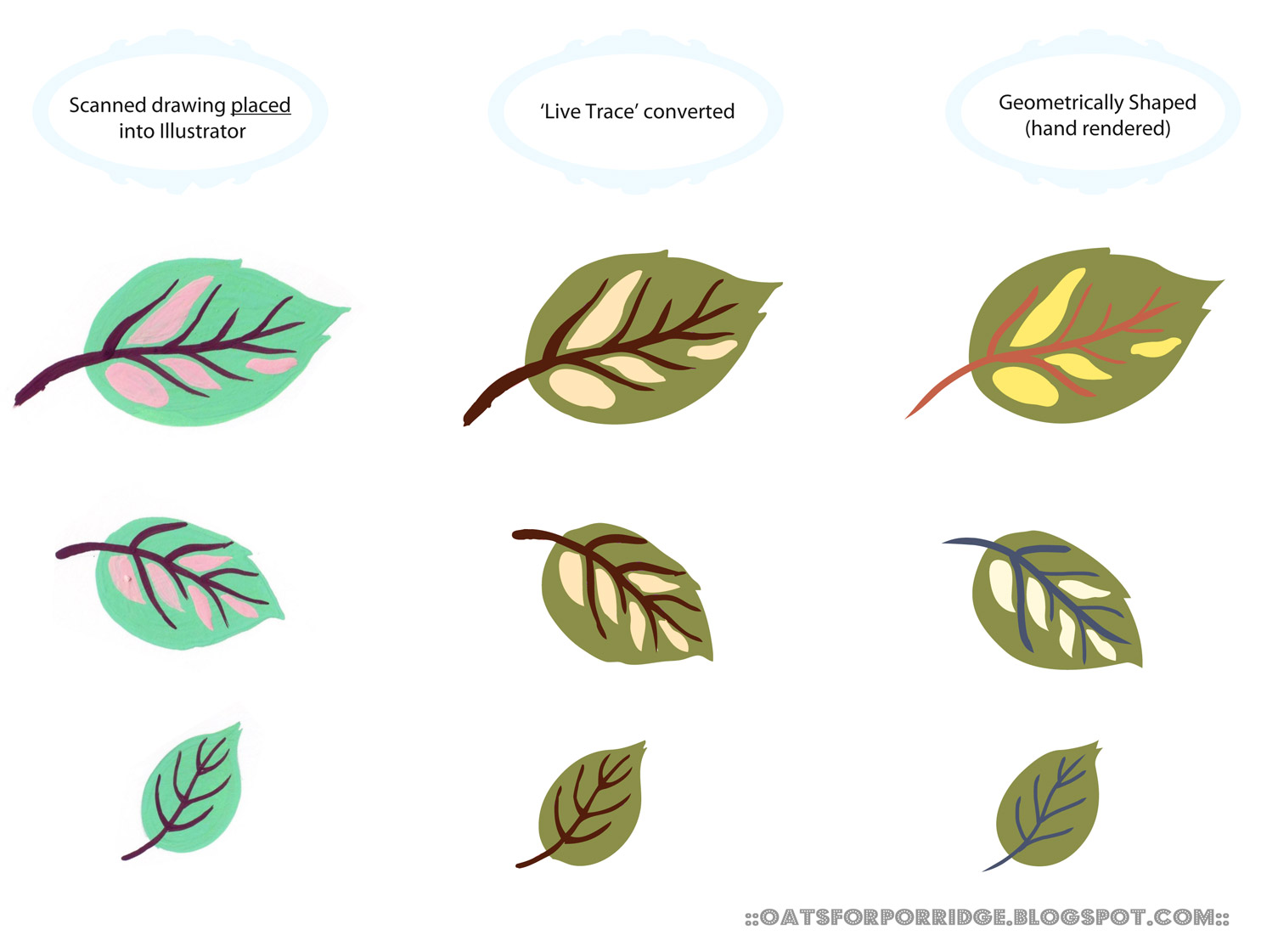
5) Live Trace on Illustrator. Meaning to convert the image into anchor points. Huge, huge file
6) Create alternative to Live Trace, which is to hand render it, which I painstakingly clicked on every blinking anchor points of every blinking motif.


So below, is a wonderfully yet painfully compiled conversion boards I did for the project. 
1st column- Hand painted, scanned & neatened up
2nd column- Live tranced and colour changed
3rd column- Single handedly created every shape by clicking on evert anchor points. Despising yet rewarding...I'd like to think.


Conversion Board 1
Conversion Board 2
Conversion Board 3
Conversion Board 4

So here are the motifs used for the project. 

By the time I got to this stage I had to literally race against time to finish my assignment! Got by with little sleep, hence was totally losing the plot of this project already. More of the final, not every geometric looking outcome in the next post or so coz I've a haircut in an hour haha!

P/S: Motifs here are shared for viewing only. Absolutely no sneakiness (like using this on anyone else's work/ project) allowed. Cool? :)